
LMS Suitability & Cost Estimator
Configure Your Needs
Configure your organization details and click Analyze to see recommendations.
Have you ever logged into a portal to take a mandatory compliance course at work or accessed your university’s virtual classroom for lecture notes? You were likely using an LMS, which stands for Learning Management System. It is the digital backbone of modern education and corporate training. But what exactly is it, and why has it become such a critical tool in both schools and boardrooms?
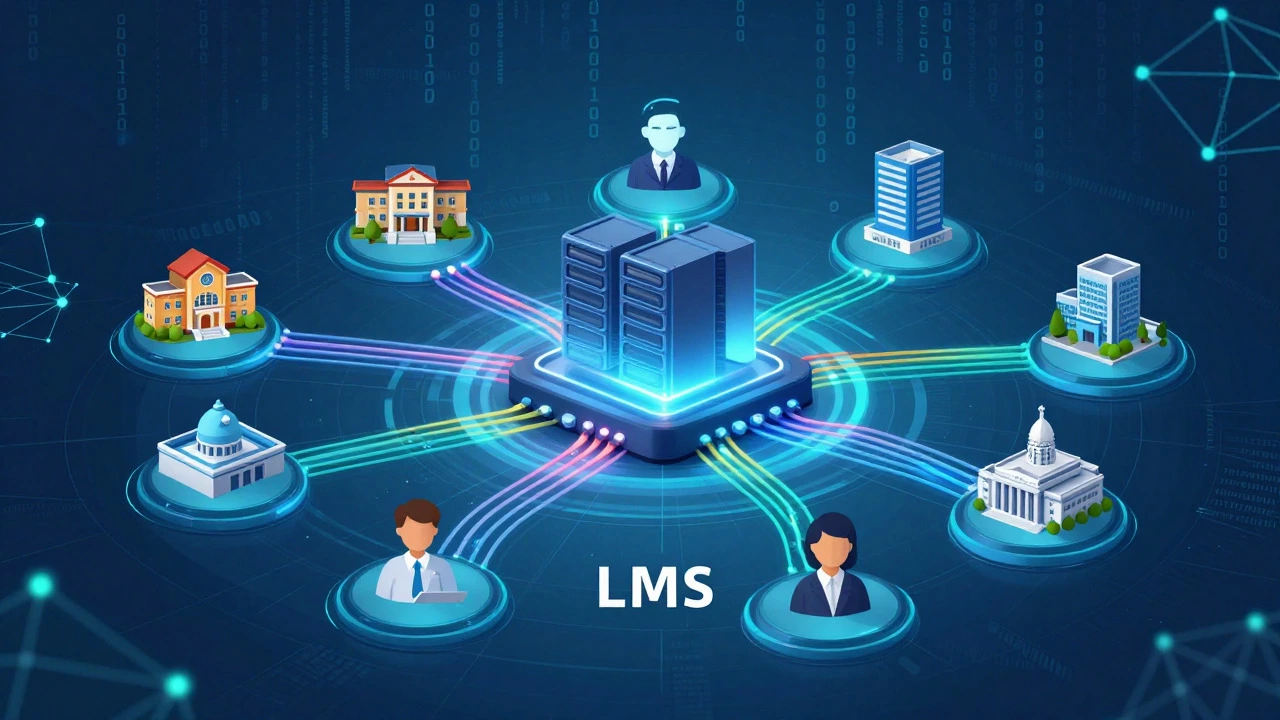
An LMS is essentially software that allows organizations to deliver, track, and manage educational courses and training programs. Think of it as a digital filing cabinet combined with a broadcasting station. It stores your lessons, videos, and quizzes, then broadcasts them to students or employees wherever they are. Whether you are a teacher uploading a PDF assignment or a manager assigning a safety video to fifty remote workers, the LMS handles the heavy lifting.
The Core Functions of a Learning Management System
To understand why an LMS is so popular, you need to look at what it actually does under the hood. It isn't just a place to store files; it is an active management tool. The primary function is content delivery. An LMS hosts various types of media-text documents, PowerPoint presentations, SCORM packages (standardized e-learning modules), and video lectures. This ensures that everyone accesses the same version of the material, eliminating the "I didn't get the updated file" excuse.
Beyond storage, tracking is where the real value lies. When a user logs in, the system records their activity. Did they watch the entire ten-minute video, or did they skip ahead? Did they pass the quiz on the first try, or do they need remedial training? This data is crucial for administrators. In a corporate setting, Human Resources needs proof that employees completed harassment prevention training. In a school, teachers need to know which students are falling behind before final exams. The LMS provides this visibility automatically.
Communication and collaboration are also key features. Most modern systems include discussion forums, messaging tools, and sometimes even live webinar capabilities. This transforms a static repository into a dynamic community. Students can ask questions, peers can share insights, and instructors can provide feedback directly within the platform. This integration keeps all interactions related to the course in one central location, making it easier to search for past advice or announcements later.
Who Actually Uses an LMS?
You might assume these systems are only for universities, but their usage spans several distinct sectors. Each group uses the technology differently to solve specific problems.
- K-12 Schools: During the pandemic, platforms like Google Classroom and Canvas became household names. Teachers use them to distribute homework, collect assignments digitally, and post grades. Parents often have access to view their child's progress, creating a transparent loop between home and school.
- Higher Education: Universities rely on robust LMS platforms like Blackboard or Moodle. These handle complex needs like large-scale student enrollment, integration with library resources, and sophisticated grading rubrics for thousands of concurrent users.
- Corporate Training: Companies use LMS solutions like Cornerstone OnDemand or Docebo for onboarding new hires, upskilling current staff, and ensuring regulatory compliance. The focus here is less on academic theory and more on practical skills and legal requirements.
- Government and Military: These sectors require strict audit trails. They use specialized LMS versions to ensure that every soldier or civil servant completes mandatory security protocols, with detailed logs that can withstand official audits.
Key Features to Look for in an LMS
If you are evaluating an LMS for your organization, not all systems are created equal. Some are designed for simple video hosting, while others offer deep analytics. Here are the non-negotiable features you should expect from a professional-grade platform.
User-Friendly Interface: If the software is confusing, people won't use it. A good LMS has an intuitive dashboard where learners can easily find their courses and see their progress. Administrators need a backend that is equally straightforward for uploading content and managing user roles.
Mobile Accessibility: In 2026, most learning happens on smartphones or tablets. Your LMS must have a responsive web design or a dedicated mobile app. Employees on the go or students commuting to class need seamless access without formatting issues.
Reporting and Analytics: Data is useless if it is hard to read. The best systems offer customizable dashboards. You should be able to generate reports on completion rates, average scores, and time spent per module with just a few clicks. Look for export options to CSV or Excel for deeper analysis.
Integration Capabilities: An LMS rarely lives in isolation. It needs to talk to other software. Check if it integrates with your HR system (like Workday or BambooHR) for automatic user provisioning, or with communication tools like Slack or Microsoft Teams for notifications.
| Platform Name | Best For | Key Strength | Pricing Model |
|---|---|---|---|
| Canvas | K-12 and Higher Ed | Intuitive UI and strong mobile app | Subscription-based |
| Moodle | Universities and Open Source Fans | Highly customizable and free core software | Free (Open Source) |
| Docebo | Enterprise Corporations | AI-driven learning recommendations | Custom Enterprise Quotes |
| TalentLMS | Small to Medium Businesses | Quick setup and affordable pricing | Tiered Monthly Plans |
LMS vs. LXP: What Is the Difference?
In recent years, you may have heard the term LXP, or Learning Experience Platform. It sounds similar, but there is a fundamental shift in philosophy. An LMS is manager-centric; it is designed for top-down administration. The goal is compliance and structured curriculum delivery. You assign the course, and the employee takes it.
An LXP, on the other hand, is learner-centric. It focuses on discovery and personalization. Think of it like Netflix for learning. It aggregates content from various sources-YouTube, Coursera, internal wikis-and uses algorithms to recommend what you might want to learn next based on your interests and career goals. While an LMS asks, "Did you complete the required training?" an LXP asks, "What would help you grow professionally today?" Many modern organizations now use both: an LMS for mandatory compliance and an LXP for voluntary skill development.
Choosing the Right System for Your Needs
Selecting an LMS is a significant investment. Before signing a contract, define your primary goals. Are you trying to onboard hundreds of new employees quickly? Or are you looking to certify technicians in a highly regulated industry? Your answer dictates the complexity you need.
Consider the technical expertise of your team. Open-source solutions like Moodle offer unlimited flexibility but require dedicated IT staff to maintain servers and install plugins. Cloud-based SaaS solutions like TalentLMS or Lessonly require no coding knowledge and handle updates automatically, but they offer less customization. For most small businesses and schools, the ease of a cloud-hosted solution outweighs the benefits of self-hosting.
Finally, test the user experience. Most vendors offer free trials. Create a dummy account, upload a sample lesson, and try to navigate it as a student. If you struggle to find the submit button, imagine how frustrated your actual users will be. A clean, simple interface reduces support tickets and increases engagement.
The Future of Learning Management
The landscape of digital learning is evolving rapidly. Artificial Intelligence is playing a larger role in curating content and predicting learner drop-off risks. Virtual Reality (VR) and Augmented Reality (AR) are being integrated into LMS platforms for immersive training scenarios, particularly in healthcare and manufacturing. As remote work becomes permanent for many industries, the LMS will continue to expand beyond simple course delivery to become a central hub for continuous professional development and company culture building.
Is an LMS the same as an online course?
No. An online course is the content itself-the lessons, videos, and quizzes. An LMS is the software platform that hosts, delivers, and tracks that course. You can think of the LMS as the house and the online course as the furniture inside it.
Are LMS platforms expensive?
Costs vary widely. Open-source options like Moodle are free to download but require server costs and technical maintenance. Commercial cloud-based LMS platforms typically charge per user per month, ranging from $5 to $50+ depending on features and scale. Enterprise solutions can cost tens of thousands of dollars annually.
Can I use an LMS for free?
Yes. Many providers offer free tiers for small teams or individual educators. For example, TalentLMS and LearnDash (for WordPress) have free or low-cost entry points. Moodle is completely free as open-source software, though you pay for hosting and support.
What is the difference between SCORM and xAPI?
SCORM (Sharable Content Object Reference Model) is an older standard that tracks basic actions like completing a module or passing a quiz. xAPI (Experience API) is newer and more powerful. It can track detailed interactions, such as how long a user hovered over a button or performance in a simulation, allowing for much richer data analysis.
Do I need an internet connection to use an LMS?
Most cloud-based LMS platforms require an internet connection to access content and sync data. However, some advanced systems offer offline modes where users can download materials to their devices and sync progress once they reconnect to the internet.